menu
Close

GET IN TOUCH
Check what other game developers say about working with RocketBrush Studio:

BLOG
Animation turns static game assets into responsive characters, live environments, readable combat moves, and interactive interfaces. Gameplay animation often needs to respond to player input and gameplay systems while accounting for camera movement and technical constraints in real time.
Therefore, game animation in video games has two jobs: it has to look convincing and communicate information quickly. A character's attack needs to show what they are about to do, while a UI transition needs to make an interaction clear without slowing the player down. The same principles that make animation appealing in film can support these goals, but they have to be adapted to an interactive environment. In this article, we explore game animation and how it’s created.
Game animation design is what we call the process of planning and creating motion for characters, objects and environments, and this includes interfaces, and other elements of a game. Depending on the project, this can involve 2D frame-by-frame animation, skeletal animation, 3D keyframe animation, motion capture, procedural systems, or a combination of techniques.
The process usually starts with a defined visual target and a technical requirement. For example, with a 3D character, an artist may work from a concept, prepare or receive a rig, then create keyframes for individual actions, and finally, test the animation inside the target engine. The result has to work not only as an animation but also as part of the game's movement and combat systems.
This connects animation to programming and game design. An attack animation may need to synchronize with a hitbox, an ability effect, sound, and camera movement. A locomotion set may need to blend between idle, walking, running, turning, jumping, and landing states.
Animation communicates information that players process before they consciously think about it. A character leaning forward can signal acceleration. A brief wind-up can indicate an incoming attack. A change in posture can show that an NPC has noticed the player.
This is particularly important in gameplay, where players need to understand events while simultaneously making decisions. Animation can communicate:
Animation and game design are inseparable. It’s more than decoration – it's an essential part of how games communicate information to players. Effective animation and game design work together so that motion reinforces the mechanics instead of competing with them.
Character and background motion are essential in gaming and animation techniques often originate from traditional animation principles. The classic principles remain useful, but their application changes when animation has to respond to player input and gameplay logic.
Squash and stretch exaggerate an object's shape to signal movement, flexibility, speed, or impact. In traditional animation, the principle helps maintain the impression of volume while a character or object changes shape.
In games, it can make actions more readable and expressive. A cartoon character might squash on landing and stretch during a jump. A projectile can briefly stretch as it accelerates, while an impact effect can squash or deform to emphasize contact.
The amount of deformation depends on the game's visual style. Highly stylized games can push the effect much further than realistic 3D titles, where excessive deformation may conflict with the character's proportions.
Anticipation prepares the player for an action before it happens. A character might pull a sword back before swinging it, crouch before jumping, or briefly raise a weapon before releasing an ability.
This principle has an important gameplay function because players need to read actions quickly. A strong attack animation with no readable anticipation can feel abrupt and make an enemy difficult to react to. Conversely, excessive anticipation can make combat feel slow or unresponsive.
The right balance depends on the action's role. A powerful boss attack may need a longer wind-up to give the player time to dodge, while a basic attack may use only a few frames.
Timing determines how long an action takes and how individual frames are distributed across the motion. It strongly affects the perceived weight, speed, and force of an animation.
A heavy sword swing may begin slowly, accelerate through the strike, and finish with a noticeable recovery. A light dagger attack can use faster movement and shorter transitions. The difference does not necessarily require completely different animation techniques — timing alone can significantly change how an action feels.
Game animation also has to account for gameplay responsiveness. A beautifully animated attack is ineffective if the character appears to be moving but the input response feels delayed. Animation timing therefore has to be considered alongside movement speed, hit detection, input buffering, and other game systems.
Follow through describes what happens after the main action has ended. Overlapping action occurs when different parts of a character or object move at slightly different times.
These principles make motion feel less mechanical. When a character stops suddenly, their hair, or clothing may continue moving briefly. Similarly, a creature's tail can follow the movement of its body instead of moving at the same time.
In 3D character animation, these details can make a difference to the final result. They are particularly useful for secondary motion, where smaller movements support the primary action without distracting from it.
Different parts of a game require different animation approaches. A project can combine several techniques depending on its art style, platform, and gameplay requirements.
Character animation covers movement and actions performed by playable characters, NPCs, creatures, and enemies. Typical sets include idle, locomotion, jumping, falling, attacking, taking damage, interacting, and dying.
More complex projects may require layered animation systems, facial animation, procedural motion, or large numbers of combat and interaction states. Rigging is often an important part of this workflow because a well-constructed rig allows artists to create and reuse motion efficiently.
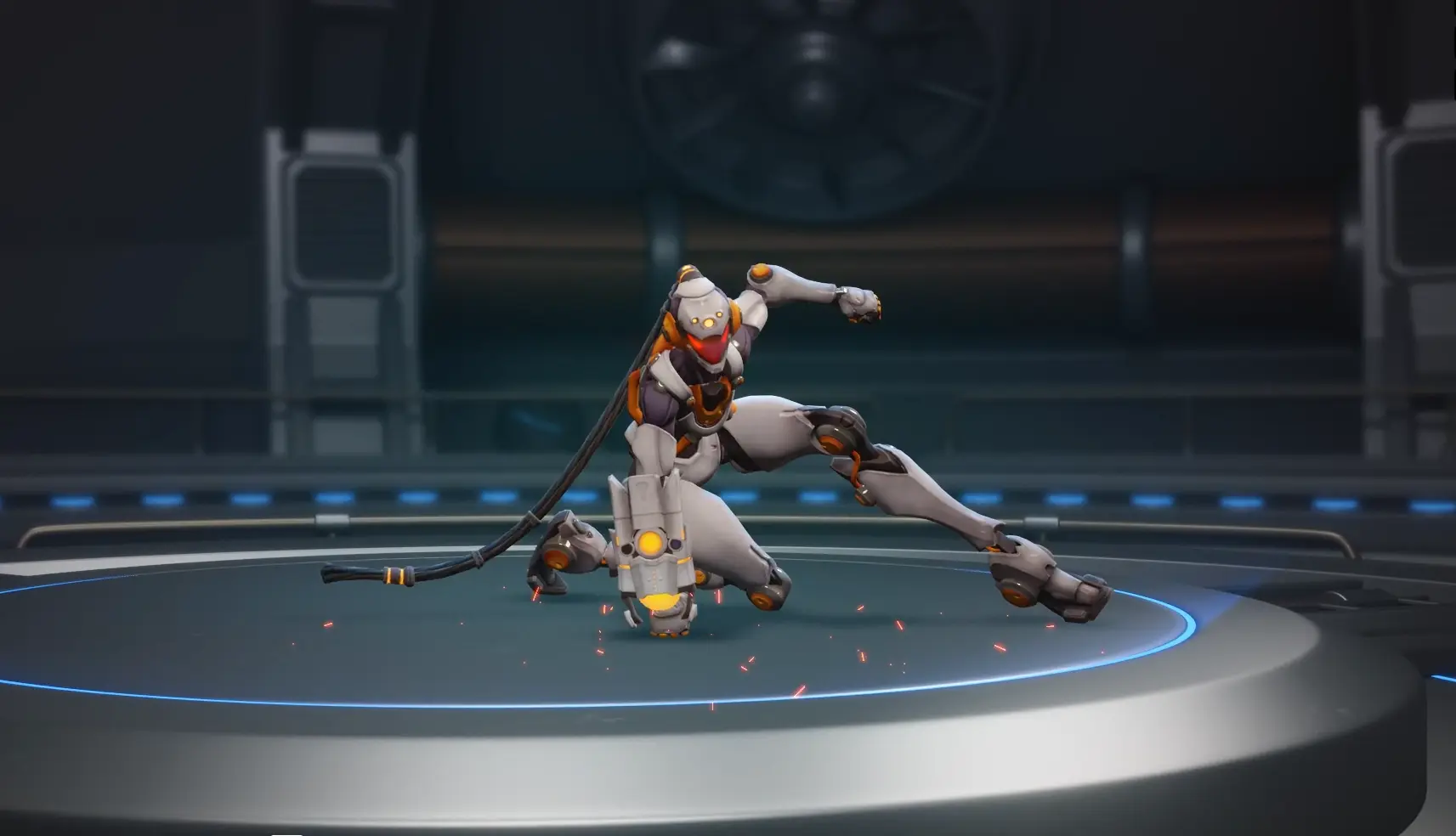
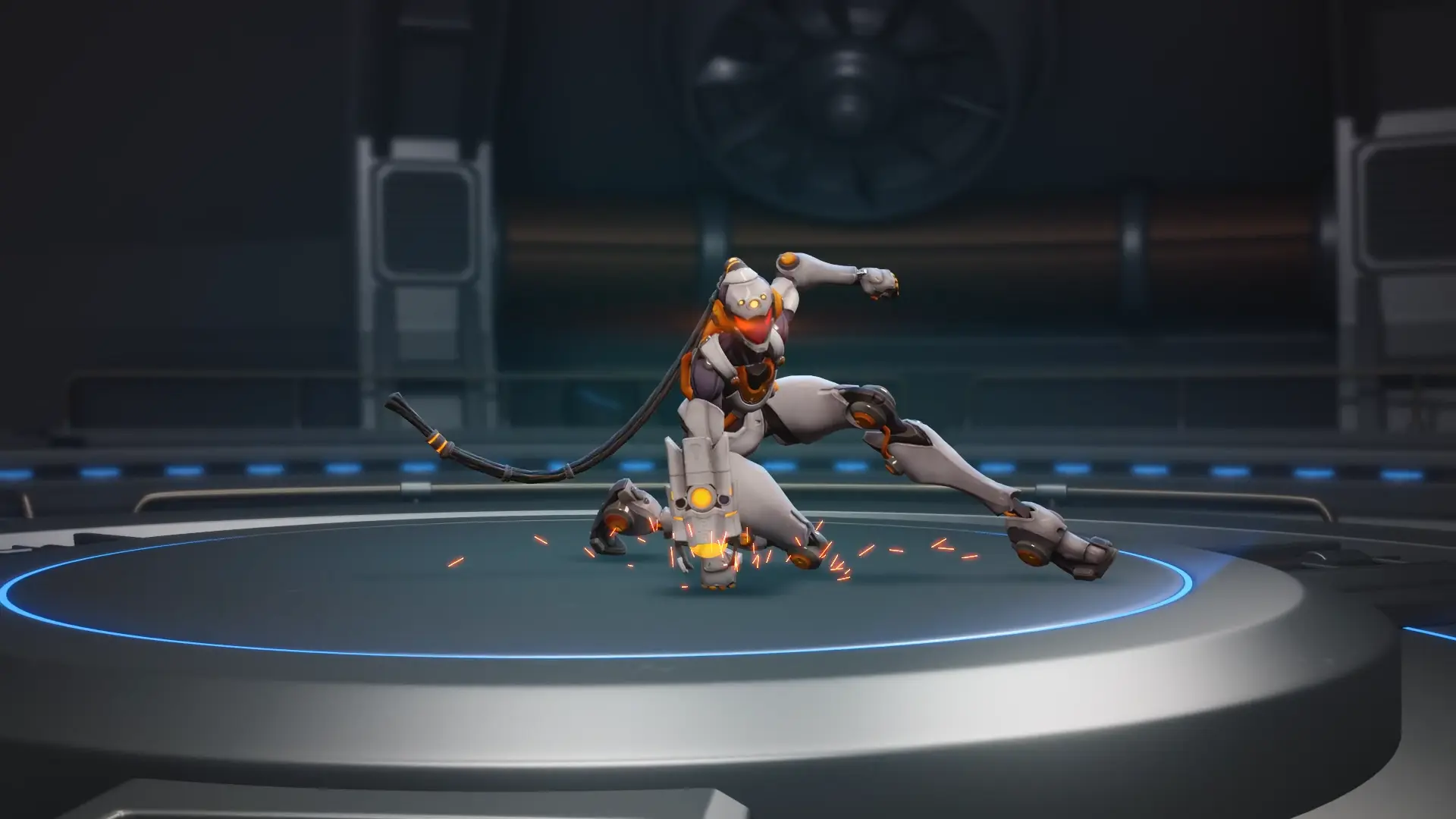
For our internal Cyro Coda project, we combined AI-assisted motion capture with hand-authored animation.. Using Maya and the AI-powered Plask tool, our team analyzed acrobatic reference footage to generate a motion skeleton, then imported it into Maya as an FBX animation.
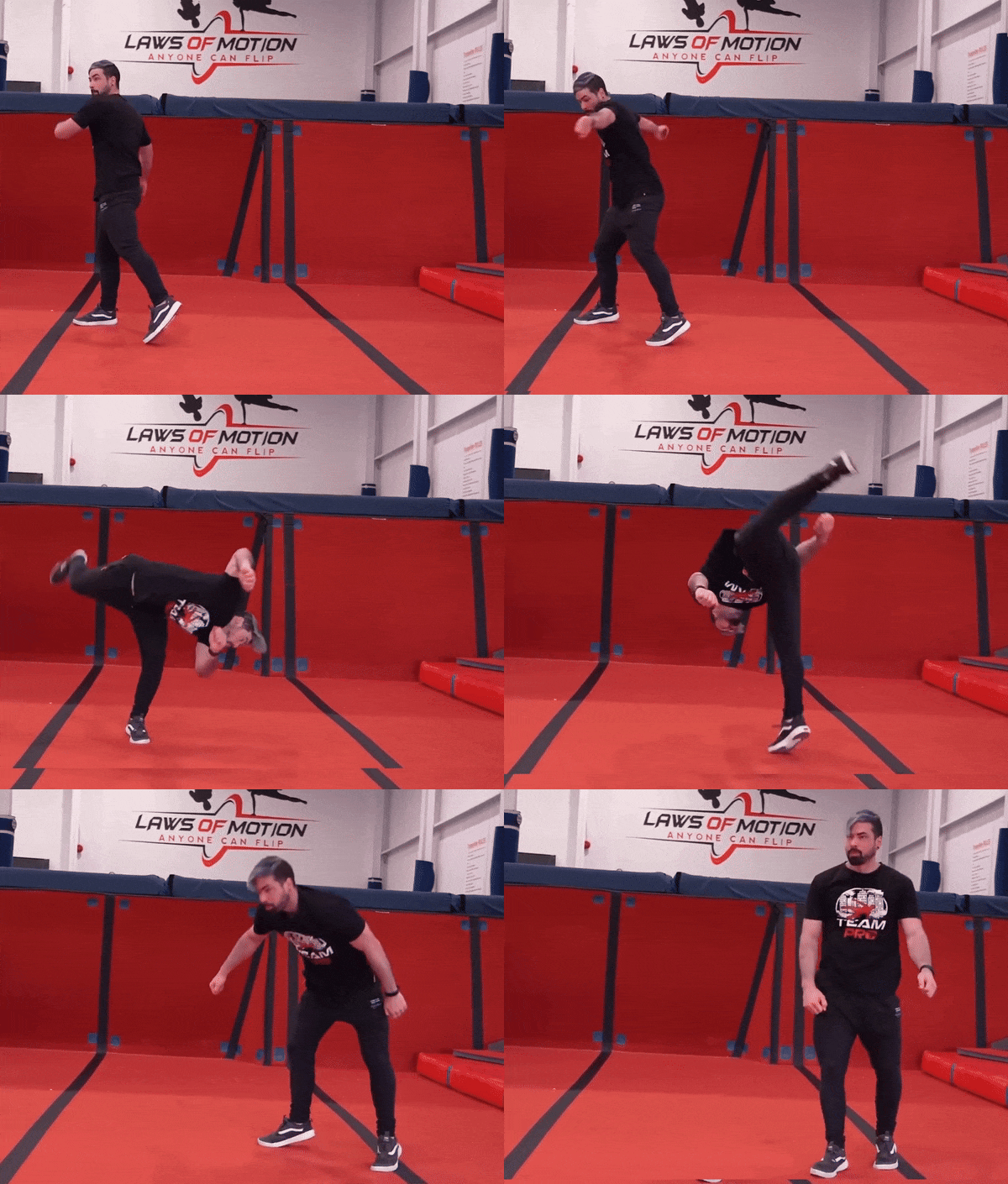
Animators refined the sequence by adding a powerful landing strike and shaping the transition into an idle pose, preserving the character’s playful personality. This hybrid workflow helped turn reference footage into a distinctive, game-ready animation.
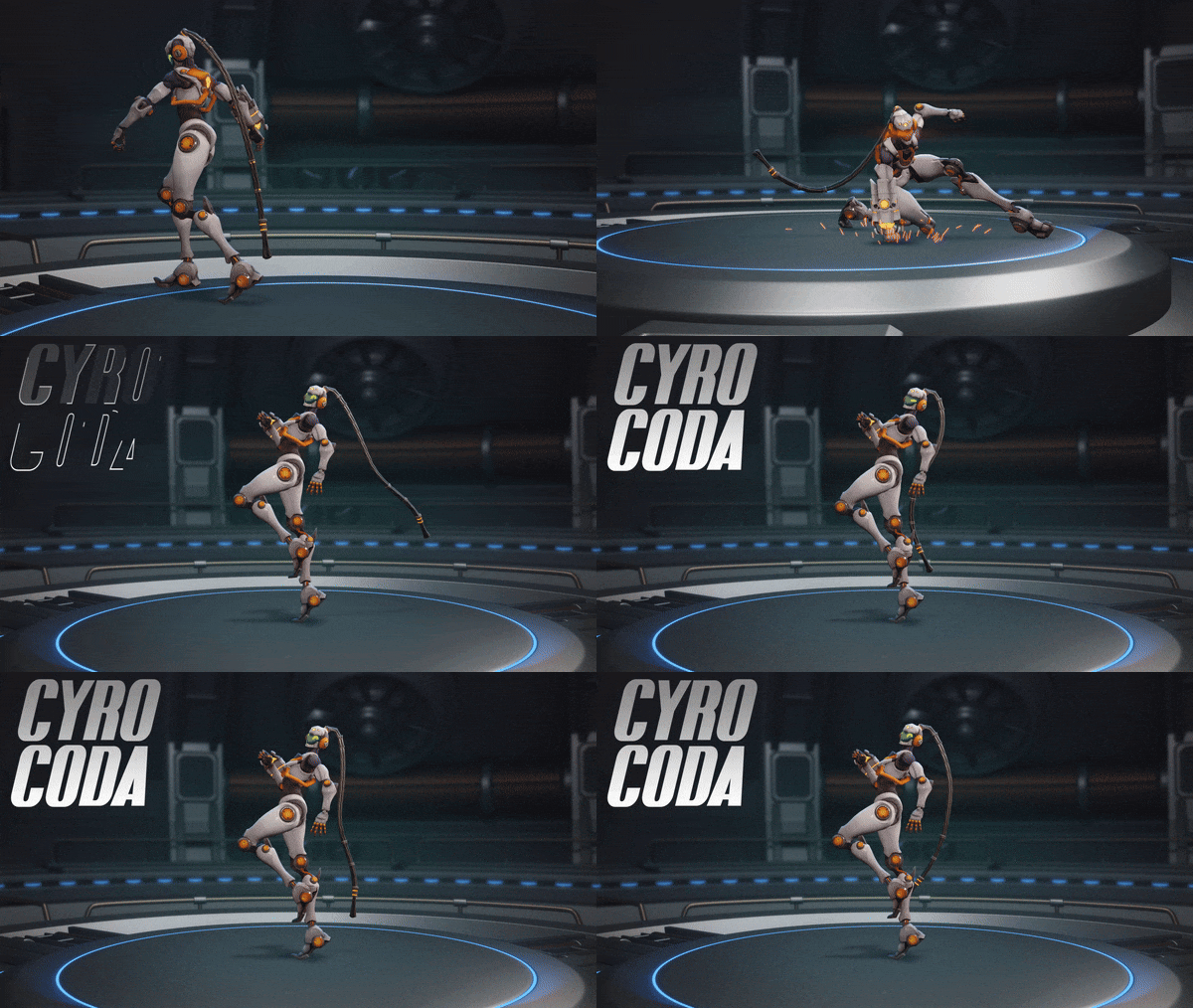
“For Cyro Coda, we went with an Overwatch-inspired animation style to capture the character’s personality through expressive movements and gestures. We also used motion capture as a starting point, then adapted the movements to fit the character’s style and bring them to life.” – Art Director at RocketBrush
UI animation adds motion to menus, HUD elements, inventories, notifications, maps, and other interface components. It can indicate that an action has been completed, draw attention to important information, or make transitions easier to follow.
Because UI is directly tied to interaction, these animations generally need to be short and predictable. A decorative transition that looks impressive but delays access to a menu can negatively affect the player's experience.
Cutscene animation is used for scripted storytelling, dialogue, character performances, and other sequences where the developer controls the camera and action more closely.
Unlike gameplay animation, a cutscene can prioritize composition, acting, facial expression, and narrative timing because the player's input is usually limited. However, cutscene assets may still need to work within the same character rigs, models, and engine used during gameplay.
Environmental animation brings the game world to life. It can include moving foliage, water, weather effects, machinery, doors, elevators, vehicles, destructible objects, and background characters.
Some environmental motion is purely atmospheric, while other animation communicates interaction. A door opening when approached, for example, gives the player immediate feedback that an object is usable.
The choice between 2D and 3D animation affects both the production workflow and the way motion is presented.
Neither approach is inherently better. The choice depends on the project's visual style, camera, gameplay, platform, production schedule, and technical requirements. To learn more about the differences between two animation approaches, check out our article.
[[ref:2d-vs-3d-animation-for-games-how-to-choose-the-right-approach]]
Game animation production usually involves both animation software and a real-time engine. The exact pipeline varies by studio and project.
Common tools include Autodesk Maya, Blender, and 3ds Max for 3D animation, rigging, and asset preparation. 2D workflows may use tools such as Adobe After Effects, Spine, or Adobe Animate, depending on the project's requirements.
The final animation is usually integrated into an engine such as Unity or Unreal Engine. This step is important because motion that works correctly in animation software may behave differently once it is affected by gameplay systems, blend trees, physics, camera perspective, or engine constraints.
For this reason, game animation should be tested in the target environment rather than evaluated only inside the animation software.
Animation and game design overlap whenever motion communicates or affects gameplay. Designers determine what an action should do, while animators determine how that action is communicated through movement.
Consider a dodge roll. The game designer may define its duration, distance, invulnerability window, and input behavior. The animator then creates motion that makes those properties readable. The start of the roll can provide anticipation, the main movement can communicate speed, and the recovery can show when the character is ready for another action.
The same principle applies to combat, traversal, abilities, and interactions. Animation has to support the mechanics rather than simply play on top of them.
This is also where gaming and animation become closely connected from a production perspective. Animation teams need to understand how their work will be triggered, blended, interrupted, and reused in the game. Developers, in turn, need animation that is technically consistent and predictable enough to integrate into those systems.
RocketBrush approaches game animation as part of the wider production pipeline. Our team can work with 2D and 3D assets, adapting animation to the project's visual style, character requirements, and target engine.
For 3D animation, the workflow can cover rig validation, keyframe animation, secondary motion, and preparation for integration into engines such as Unity and Unreal. For 2D projects, artists can create frame-by-frame animation and gameplay-ready motion for characters, effects, UI, and other assets.
The practical goal is to deliver animation that is ready to function within the game. That means considering timing, rig requirements, file structure, engine constraints, and the way assets will be reviewed and reused during production. If you are interested in in-game or promotional animation for your project, reach out to our team.