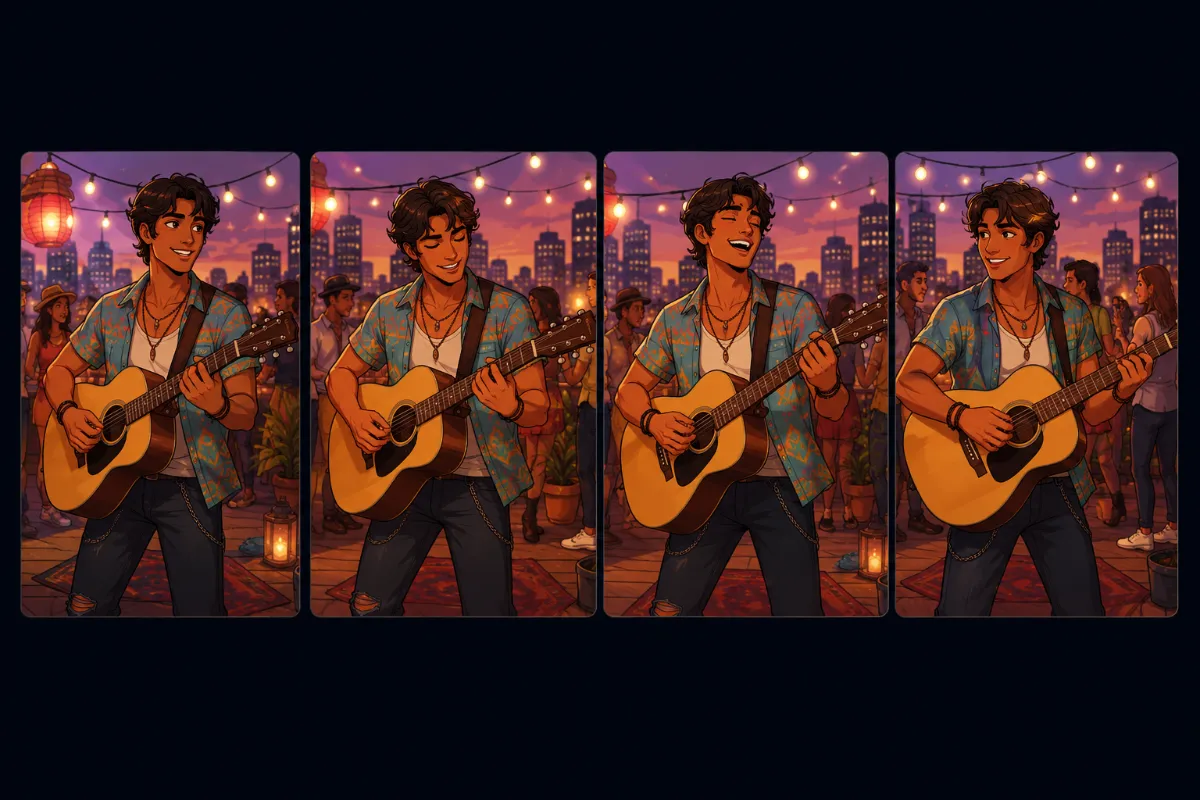
Animation plays a key role in the user experience, and the type of animation affects production. The choice of 2D vs 3D animation is a decision that should be made early in the process, since it determines the approach to production and the developer’s expectations. The two types of animation are generally handled by different teams, so they entail different pipelines.
3D vs 2D Animation in Games: Comparison
Animation in games must account for interactivity and align with the UI. It shapes character personality, believable movement, and player interaction — directly influencing the overall experience.
Rather than an afterthought, animation should be considered early in production. Choosing 2D or 3D animation is one of the first decisions tied to genre, visual style, engine, and budget.
2D Animation: Sequences, Interface Motion, and Gameplay Loops
Common 2D Animation Techniques
2D animation in games is built around flat visual assets, but the way those assets move can differ greatly. The chosen technique affects animation quality, iteration speed, reuse, performance, and production cost. The most common approaches include:
Skeletal animation – uses a digital rig (bones) to deform and move a character, enabling smooth motion without redrawing every frame.
Cutout animation – similar to skeletal animation but often simpler, using flat pieces (limbs, head, torso) that are rotated and moved.
Sprite sheet animation – plays a sequence of pre-drawn images stored in a single file to create movement.
Frame-by-frame animation – each frame is drawn individually, like traditional animation, offering the highest level of control and expressiveness.
Mesh deformation – uses meshes and vertex manipulation to bend and distort sprites for smoother, more organic motion.
Procedural 2D animation – motion is driven by code (e.g., UI animations, idle motion, physics reactions), often used for secondary movement.
Skeletal animation is the most common type of animation for 2D. The process typically involves asset preparation, animation rig/setup, state creation, and final integration into the project. Frame-by-frame is a more traditional approach. If you want to learn more about how it works, check out our article.
[[ref:frame-by-frame-animation]]
Often, production demands combining multiple methods (e.g., skeletal + frame-by-frame VFX + procedural idle). The majority of modern games rely on mixed pipelines because they balance quality, cost, and flexibility.
2D Animation Pros & Cons
2D animation remains common in mobile and mid-scope games — it offers a strong balance between visual quality, performance, and production cost. Aside from the look, the animation method affects memory usage, iteration speed, and scalability across devices.
Pros
Cons
Lower cost, ideal for indie budgets
Limited realism and physical accuracy
Fast production and iteration cycles
Quality heavily depends on artist skill
Strong for stylized and distinctive art styles
Harder to scale for complex animation systems
Outsource-friendly workflow
Consistency issues across teams/studios
Efficient for modular 2D pipelines
Not suited for highly technical animation needs
2D animation is commonly considered the most affordable, which is why many indie projects settle on 2D look. Learn more about prices for 2D animation in a related article:
3D Animation: Cinematics, Performances, and Real-time Movement
Common 3D Animation Techniques
3D animation brings digital models to life by controlling their movement in a three-dimensional space. It’s not inherently more complex than 2D animation, but the workflow depends on the chosen technique and pipeline.
Motion capture (mocap) uses recorded performances from actors and applies them to 3D models, resulting in highly realistic movement, but requiring actors, equipment, and cleanup.
Hand-key animation involves manually setting poses, with the software interpolating between them. It offers more control and stylization, though it’s less physically accurate.
Procedural animation – movement is generated algorithmically (e.g. physics, IK systems, simulations), often used for secondary motion or dynamic interactions.
Physics-based animation – relies on real-time physics simulations (ragdolls, collisions) to drive movement, commonly used for reactions and environmental interaction.
Blend trees/animation blending – combines multiple animations smoothly in real time (e.g. walk, run, idle), essential for responsive gameplay systems.
Inverse kinematics (IK) – dynamically adjusts joints (e.g. feet on uneven ground, hands on objects) to improve realism and interaction.
Most AAA games use 3D animation because it scales well across large projects and supports dynamic cameras, physics, and complex interactions. Mo-cap and hand-key animation are the most commonly used types. The production process typically includes rig validation, blocking (base poses and timing), motion refinement, a polishing pass, animation export, and testing in the game engine.
3D Animation Pros & Cons
3D animation enables reusable assets, responsive gameplay, and cinematic presentation, but requires a more structured pipeline.
Pros
Cons
High flexibility for realism and stylization
Higher production cost
Easily scalable for large character and animation systems
Requires more technical pipeline steps
Strong reuse of rigs and animations across assets
Slower iteration in early production stages
Support of complex gameplay systems
Risk of overproduction
Consistent output across outsourced teams once pipeline is set
Heavier dependency on tools, engines, and technical constraints
3D animation is considered to be more expensive than its counterparts. But the cost depends on various details, such as time and difficulty. For more detailed information on pricing for 3D animation, read our article.
2.5D Animation: Integrated Cinematics, Layered Motion, and Interactive Scenes
Hybrid (2.5D) animation combines 3D production workflows with a 2D visual presentation. Characters and environments are built in 3D but designed for fixed or semi-fixed camera angles. This approach retains the benefits of 3D pipelines such as asset reuse, dynamic lighting, and camera movement.
2.5D Animation Tenchniques
Studios choose from several approaches depending on style, performance, budget, and pipeline:
3D models with toon/cel shaders – uses real-time 3D models rendered with flat lighting and hard shadows to mimic 2D art while supporting dynamic animation and camera movement
3D-to-2D render (baked sprites) – 3D models are animated and then rendered into sprite sheets, which are used like traditional 2D assets in-engine
Billboarding/sprite-in-3D – 2D sprites are placed in a 3D world and always face the camera, often used for characters or VFX
Hybrid rigged sprites – 2D artwork is rigged (like skeletal animation) but placed in a 3D scene with depth, lighting, or camera movement
Layered 2D in 3D space (parallax) – multiple 2D layers are arranged in 3D space to create depth, often combined with camera movement
3D environments with 2D characters (or vice versa) – mixes dimensionality, typically using 3D for scalability and 2D for stylization or performance
Hybrid Animation Pros & Cons
Hybrid animation solves the issue of 2D versus 3D animation by combining 3D tools and 2D charm.
Pros
Cons
3D production efficiency with 2D stylized look
Requires tight coordination between art and tech teams
Enables asset reuse and scalable pipelines
Technically complex
Faster iteration than pure 2D in many cases
Style consistency is hard to maintain across vendors
Strong art direction control without full realism commitment
Performance constraints from rendering and effects systems
3D vs 2D animation: Production factors to consider
In both 2D and 3D animation, production complexity takes different forms. The challenge shifts between art, tech, and pipeline design.
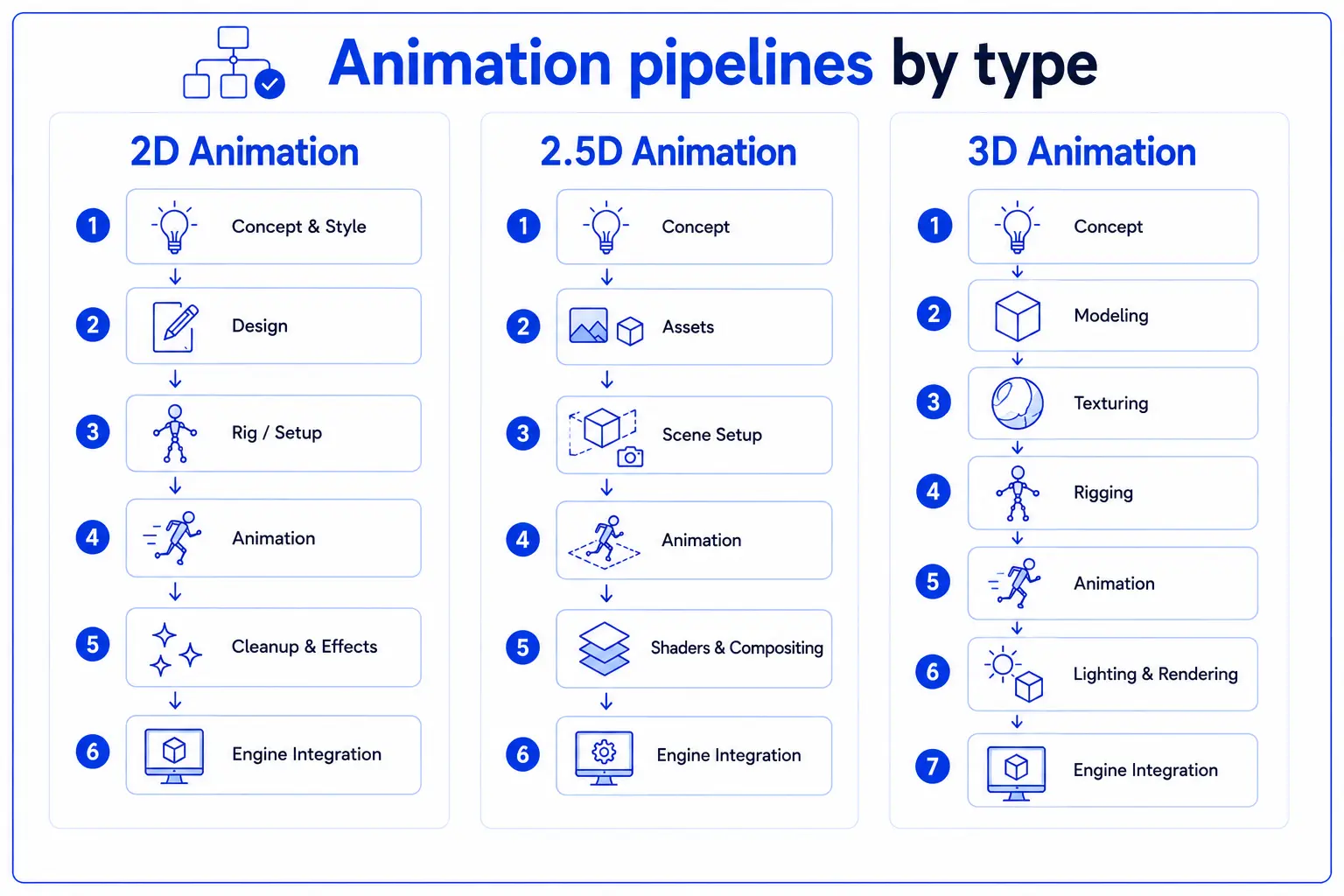
Infographic depicting pipelines for creating 2D, 2.5D, and 3D animation.
Choosing an animation style is both a creative and a technical decision that affects performance, flexibility, and long-term scalability. You aren’t simply comparing 2d animation vs 3d animation.
Each approach — 2D, 3D, and 2.5D — comes with its own strengths and limitations across different stages of development. The following breakdown highlights the key factors to consider when comparing them.
Category
2D Animation
3D Animation
Hybrid / 2.5D Animation
Performance & Platform Limits
Memory-bound; large sprite sheets can strain low-end devices
Compute-heavy; rigs, physics, and real-time calculations increase load
Shader/rendering-heavy; stylized lighting can be costly
Complexity & Realism
Stylized motion; limited depth and realism
Full realism with physics, deformation, and advanced systems
3D motion with 2D visual constraints
Production Flexibility
Asset changes often require redrawing
Highly flexible; models, rigs, and animations editable independently
Moderately flexible; depends on pipeline structure
Lighting & VFX Integration
Mostly texture- and frame-based lighting
Full real-time lighting and PBR workflows
Uses shaders to simulate stylized lighting
Engine & Technical Integration
Sprite-based; simpler but less dynamic integration
Fully engine-native (physics, animation, VFX)
Requires careful setup to preserve style in 3D engines
Gameplay Interaction
Limited depth; mostly layered effects
Full interaction with environment and systems
Hybrid interaction within constrained 3D space
Many studios offer 2D and 3D animation services to gamedev companies. Learn more about the outsourcing studios and how to choose the right one for you from our article:
[[ref:top-game-animation-studios-2d-3d-services]]
Outsourcing 2D, 3D, and 2.5D Animation
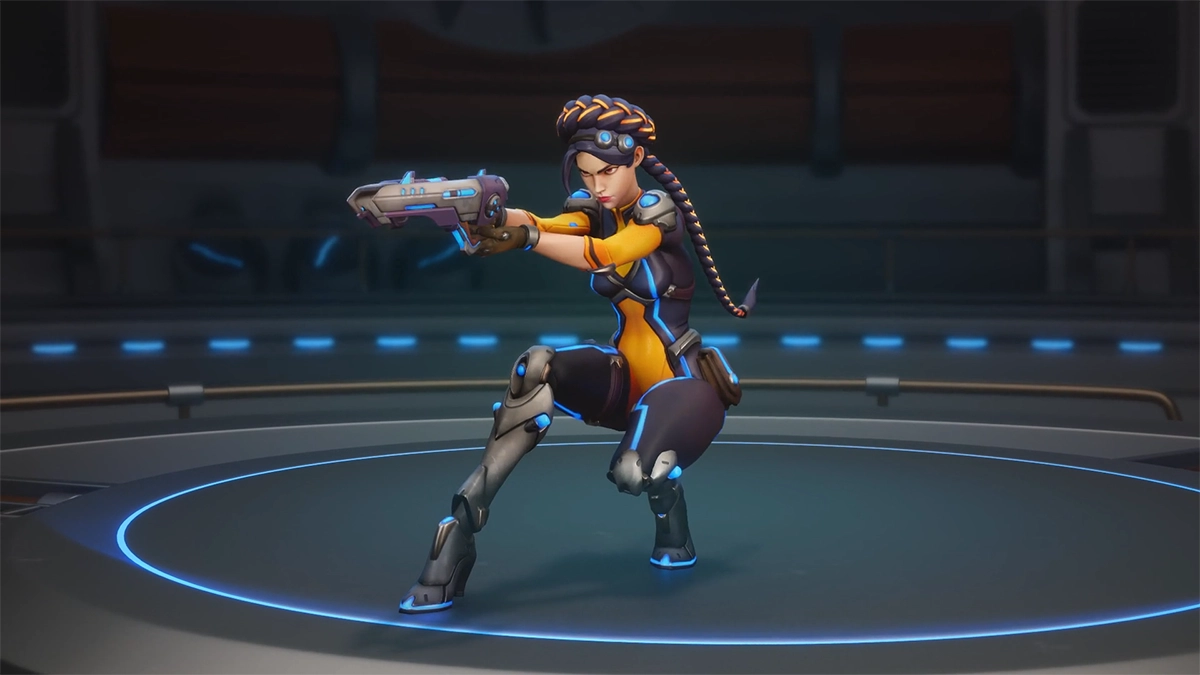
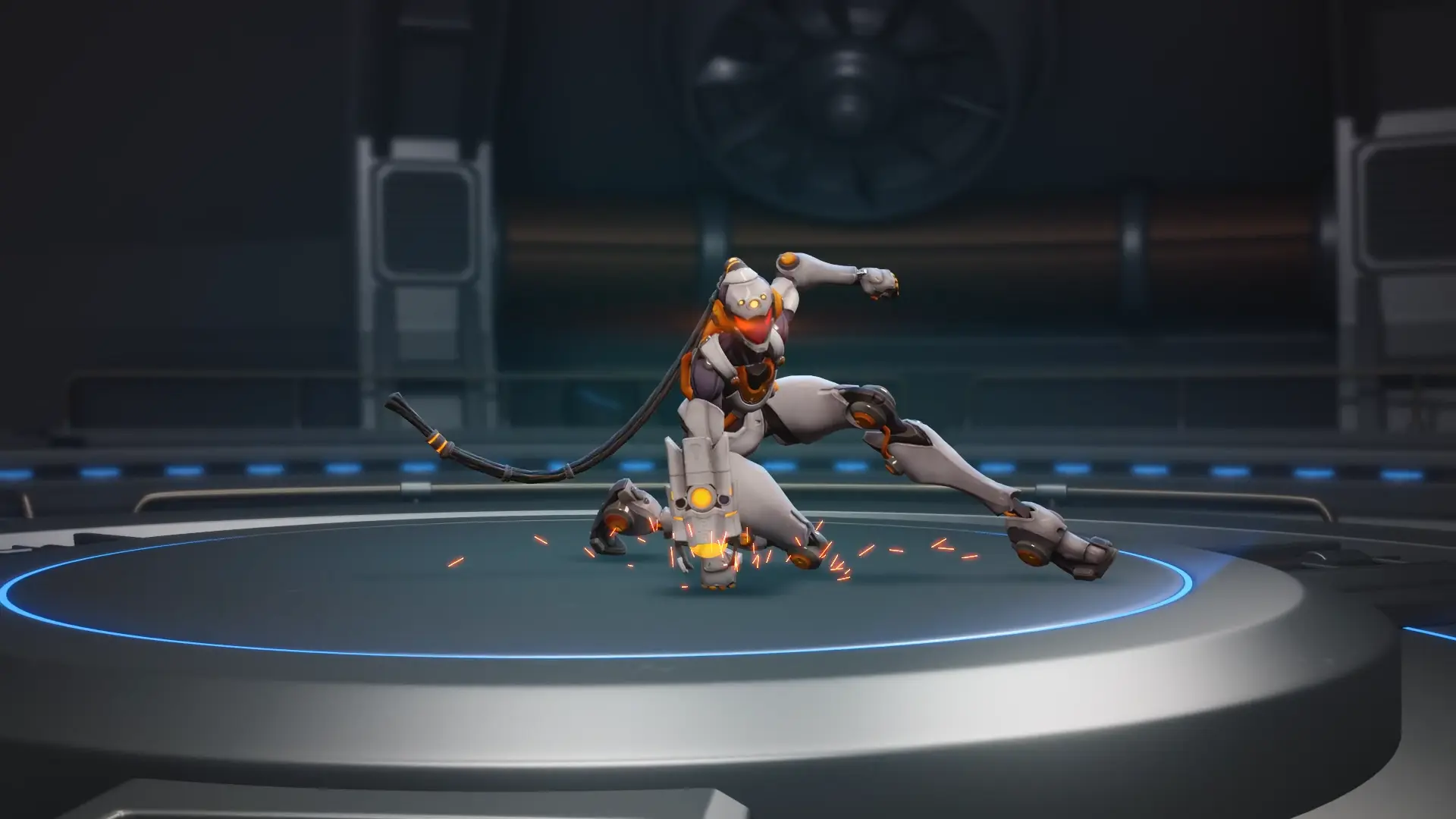
Game-ready 3D character designed by RocketBrush Studio in an action pose.
Animation type is dictated by a game’s visual style and genre, so the choice comes from overall art direction. 2D is simpler to integrate but more manual, 3D is more flexible but technically heavier, and hybrid balances both with added complexity.
If the chosen style exceeds your team’s in-house capacity, requires specialized expertise, or needs to scale production efficiently, outsourcing becomes a relevant option.
Animation Outsourcing Checklist
If you choose to collaborate with an external team on your project’s animation, make sure to prepare the task carefully.
Deadlines & milestones: Set clear delivery stages (blockout, polish, final) and review cycles.
Type of animation: Specify 2D, 3D, or 2.5D, plus techniques (e.g., keyframe, mocap, procedural).
Movement references: Provide clear examples, gameplay references, or video clips for motion style and timing.
Source files & assets: Include rigs, models, sprites, shaders, or base files for production (if the project requires them)
Platform target: It’s helpful to define where it will run (mobile, PC, console) and any performance constraints.
Budget scope: Clarify pricing model, asset count, and expected level of polish.
If you are looking to outsource animation for a game, a cutscene, or a cinematic trailer, reach out to us at RocketBrush Studio for a quote.
[[cta:Need game art for your next project?:Tell us about your game, and we'll assemble a production-ready art team with a pipeline tailored to your style, platforms and deadlines.]]
The Most Common Outsourcing Mistakes
Clients typically run into issues due to unclear briefs, missing references, and changing requirements during production. A common mistake is also underestimating the integration phase and starting prod
Changes that affect already approved assets or the animation structure can also negatively impact production:
In 2D, this typically includes changes to a character’s design, proportions, or style after animations have already been created, which may require partial or complete redrawing.
In 3D, the most costly changes are to the model, rig, or skeleton after animation has been completed, since they can require reworking all related animation clips and settings.
The later such revisions occur in the project, the higher their cost and impact on the timeline. To avoid it, be sure to make key decisions on early stages and lock core assets, animation direction, and technical specifications before full production begins.
FAQ
What is the difference between 2D and 3D animation in games?
2D animation uses flat assets like sprites, skeletal rigs, or frame-by-frame drawings, while 3D animation uses models in a three-dimensional space with rigs, physics, and real-time systems. The main difference is not complexity, but pipeline structure and flexibility.
Why do most AAA games use 3D animation?
Because 3D supports reusable assets, complex gameplay systems, dynamic cameras, and scalable production pipelines. It also integrates well with physics and real-time rendering systems.
What is 2.5D animation?
2.5D combines 3D production workflows with a 2D visual style. It uses 3D models, lighting, and cameras but preserves a flat or stylized look through shaders, rendering tricks, or sprite-based outputs.
Can 2D and 3D animation be combined?
Yes. Many games use hybrid pipelines (especially 2.5D or mixed systems), combining techniques like mocap, keyframe animation, procedural motion, and physics-based effects.
Is 3D animation always better than 2D?
No. 2D is often more cost-efficient and effective for stylized games, while 3D offers greater flexibility, scalability, and system depth. The best choice depends on the game’s visual direction and technical needs.
Is 2D animation easier than 3D?
Not necessarily. 2D animation can be simpler in terms of tools and setup, but it often requires more manual work and can be less flexible when changes are needed. 3D animation has a steeper learning curve and heavier technical requirements, but it offers more flexibility, reuse of assets, and scalability in production.
Key Takeaway
Animation should be decided early, as it defines the pipeline, budget, and production structure.
2D animation is efficient and stylized, but less flexible and more manual.
3D animation is highly scalable and system-friendly, but technically heavier and more expensive.
2.5D animation offers a middle ground, combining 3D production power with 2D visual control.
No approach is inherently “harder” — complexity shifts between art, tech, and pipeline management. Strong planning (especially outsourcing preparation) is essential to avoid scaling and consistency issues.
It’s vital to consider the game from all possible perspectives, including the pipelines ahead. Our goal is to help our partners recognize the most suitable approach and seamlessly integrate it into their production process. Reach out to our team at RocketBrush if you’re looking to bring your game to life through animation.
Create with us
Contact us, and we'll craft the perfect game art for your project