A game's Steam page can have a strong trailer, polished screenshots, and a convincing description, yet still struggle to attract attention if its store artwork doesn't communicate the game's appeal at a glance. Capsule images are often the first visual contact players have with a title, especially when browsing search results, recommendation feeds, and seasonal sales.
Good steam capsule art needs to do two things: identify the game and give potential players a reason to look closer. There are also technical requirements to consider. This guide explains Steam’s capsule sizes and content rules, with examples and design tips for adapting artwork across formats.
What Is Steam Capsule Art?
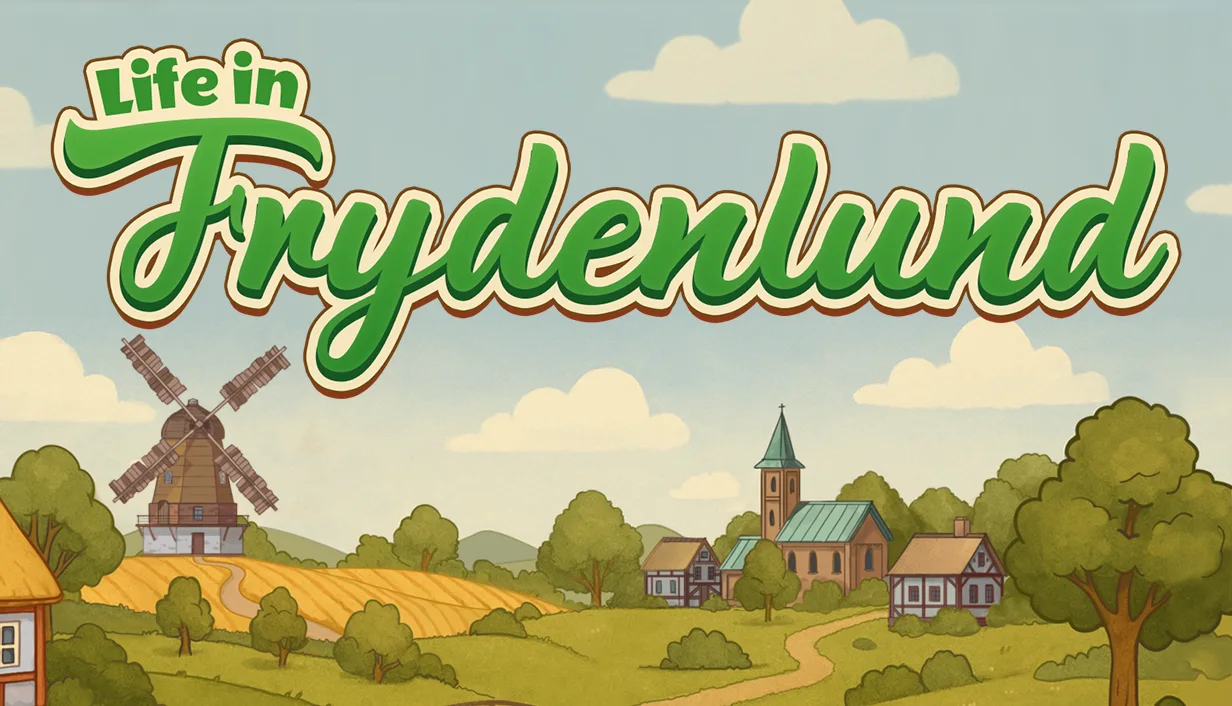
Steam capsule art for Life in Frydenlund focuses on reflecting the atmosphere of the game itself.
Capsule art is the promotional artwork Steam uses to represent a game in search results, recommendation carousels, store pages and seasonal event listings. It acts as the game's visual cover and must work at multiple sizes, including small thumbnails surrounded by competing titles.
The simplest way to explain capsule art meaning is to ask what experience the image promises. Characters, settings, colors and mood help players identify the game's genre and appeal. A survival horror game might show an isolated protagonist in a threatening environment, while a cozy farming game could feature colorful characters and a welcoming landscape.
Steam's store capsules generally combine artwork with the game's logo or title. Unlike screenshots that show gameplay or trailers that convey pacing and mechanics over time, capsule art communicates through a single image. Its job is to make the game recognizable and give players a reason to click through.
Steam Capsule Art Sizes and Dimensions
Steam requires several store capsules, each intended for a different placement. According to the official Steamworks documentation, the current dimensions are larger than the older sizes many developers may still find in outdated guides. Valve announced support for larger capsule assets in August 2024 and states that the previous dimensions are no longer accepted.
Header Capsule
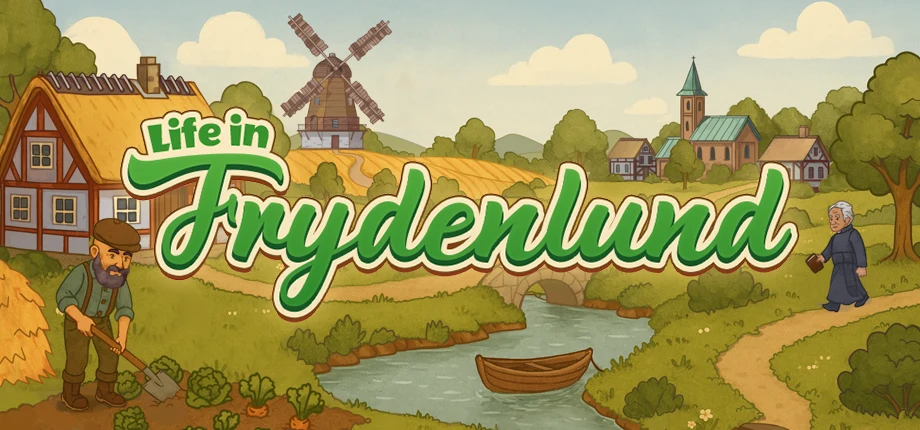
Official size: 920x430 pixels
Header capsule art for Ways of Alchemy Supporter Pack by RocketBrush Studio.
The header capsule appears near the top of the game's store page, in recommendation placements, in Big Picture browsing views, and in Daily Deals when applicable.
Its wide format makes it suitable for a strong central subject, supporting environmental details, and a clearly separated logo. Use the game's key art or a composition adapted from it, but make sure the focal point and title remain easy to read at reduced sizes.
Small Capsule
Official size: 462x174 pixels
Small capsule art for Ways of Alchemy Supporter Pack by RocketBrush Studio.
The small capsule appears in Steam lists, including search results, top sellers, and new releases. Steam automatically generates smaller versions at 184x69 and 120x45 pixels.
This is the most demanding format for logo readability. Fine details, narrow lettering, and busy backgrounds can disappear when the image is reduced. The logo may need to occupy a substantial part of the composition, while the illustration uses fewer, larger shapes.
The small capsule doesn't have to use exactly the same composition as the header or main capsule. A simplified crop or separate arrangement can be more effective, provided the game's visual identity remains consistent.
Main Capsule
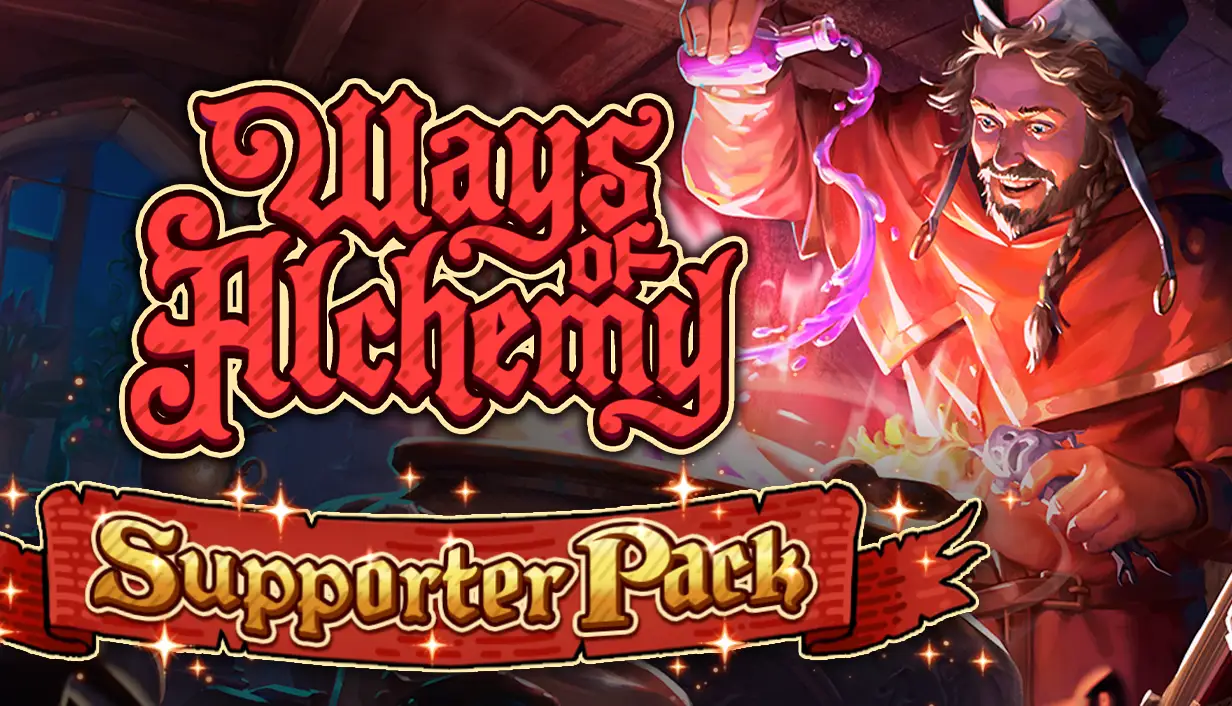
Official size: 1232x706 pixels
Main capsuleart for Ways of Alchemy Supporter Pack by RocketBrush Studio.
The main capsule appears in the main carousel on the Steam store home page. It's a prominent placement, but the artwork still needs to communicate its message quickly as users browse multiple titles.
Build the composition around one clear visual idea rather than treating the image as a miniature poster. A character silhouette, distinctive creature, recognizable setting, or dramatic action can provide a focal point. Keep the logo readable and avoid placing important elements where the composition becomes crowded.
Vertical Capsule
Official size: 748x896 pixels
Vertical capsule art for Ways of Alchemy Supporter Pack by RocketBrush Studio.
The vertical capsule can appear at the top of Steam's front page during seasonal sales and on other sale pages. Its portrait orientation requires a different approach from the horizontal formats.
Instead of simply cropping the header artwork, consider a composition that uses vertical space deliberately. A full-body character, towering enemy, layered environment, or strong foreground-to-background arrangement may work better. Check that the logo remains legible and that the subject isn't cut off in ways that weaken the image.
[[ref:steam-next-fest]]
Library Assets: Library Capsule, Hero, and Logo
Capsule art for Life in Frydenlund by RocketBrush Studio showcases the main features of the game.
Library graphics appear in the player's Steam library rather than serving the same store-browsing functions as the standard capsules. They are part of the broader visual package and should be planned alongside the store artwork.
The official dimensions are:
Library Capsule: 600x900 pixels.
Library Hero: 3840x1240 pixels, PNG.
Library Logo: at least 1280 pixels wide and/or 720 pixels tall, PNG with a transparent background.
Library Header: 920x430 pixels.
The library capsule is a portrait image used in library overview and collection views. The hero graphic is a wide background image displayed on the game's library details page, with the logo layered over it. Steam's rules specify that the hero should contain artwork only, while the logo should contain the game's logotype and optionally a logomark. The library capsule can include the game title and, where appropriate, its official subtitle, but not other text.
Official Steam Capsule Sizes at a Glance
Capsule or asset type
Official size
Where it appears
Key rule
Header Capsule
920x430 px
Store page, recommendations, some browse and deal placements
Use artwork and a readable game title
Small Capsule
462x174 px
Search results, top sellers, new releases, and other lists
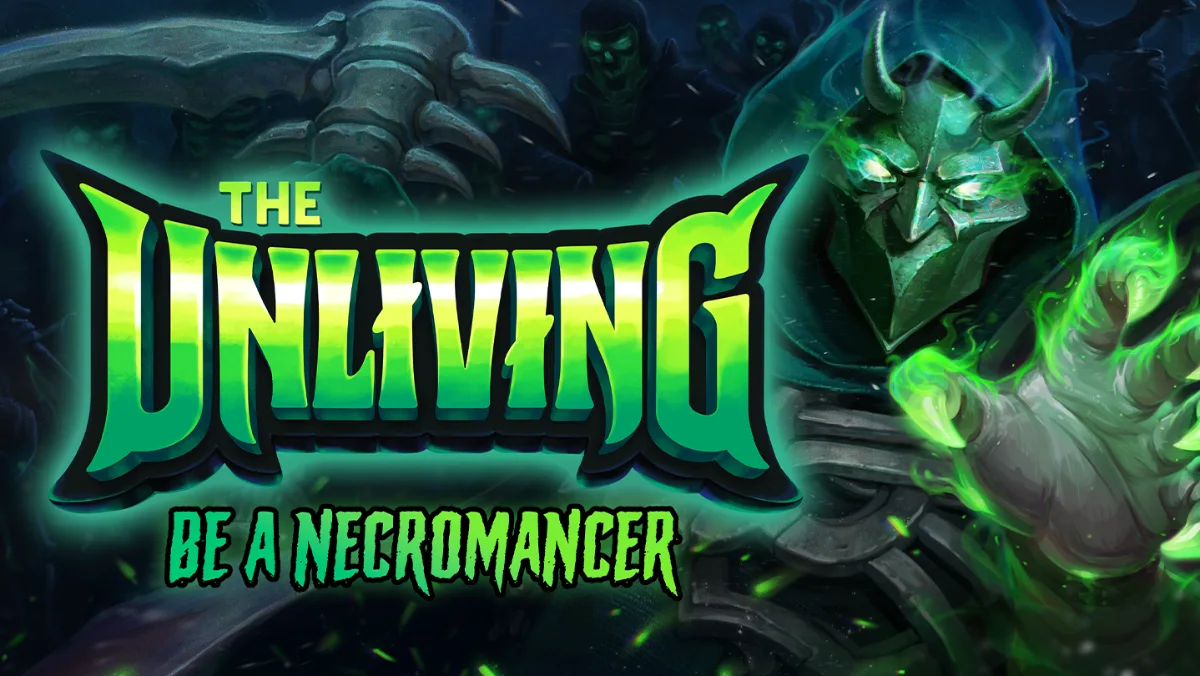
The Unliving capsule art by RocketBrush Studio utilizes composition and builds a strong focal point.
Meeting the technical dimensions is only part of the process. Steam also restricts what developers can place on capsule images.
The main Steam capsule art requirements are straightforward:
Include the game's name or logo. The title must be readable against the background.
Use the correct dimensions. Upload files that match the current specifications.
Keep the artwork appropriate. Steam requires store and library capsule imagery to be PG-13 appropriate.
Limit text on standard store capsules. Base assets can contain the game artwork, title, and official subtitle, but not review scores, awards, discount messaging, unrelated calls to action, or promotional content for another product.
Follow the separate library rules. The library hero must contain artwork only; the library logo should contain only the game's logotype and optionally a logomark.
Can you advertise a new expansion or major update on a capsule? Yes, but not by adding extra copy to the permanent artwork. Steam supports Artwork Overrides, which let developers temporarily replace standard capsules to promote currently available updates, DLC, seasonal events, or similar new content. These overrides have a maximum duration of one month, and additional text must be localized into at least the same set of languages supported by the game. General messages such as “Wishlist now!” and discount copy are not allowed under these rules.
Review the latest Steam capsule art guidelines before approving final files. Noncompliant graphical assets can affect a game's visibility in the store and eligibility for official sales and events.
Steam Capsule Art Trends in 2026
Capsule art for the demo version on Ways of Alchemy by RocketBrush Studio designed using artwork in the style of the game.
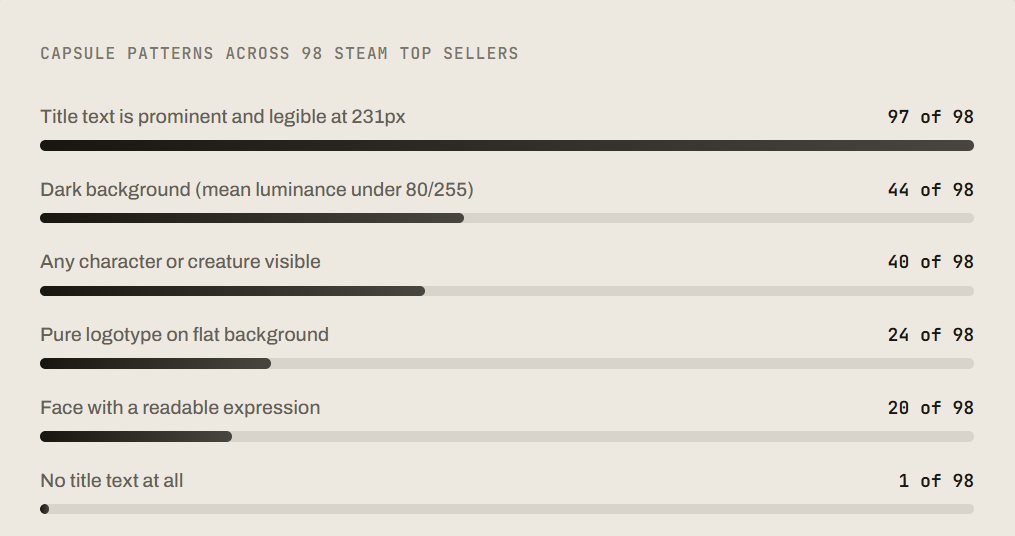
There isn't one visual style that defines successful capsule art. A July 2026 analysis by Steam Page Analyzer examined 98 Steam top-seller listings, including several DLCs, and identified several popular capsule design approaches:
Manual analysis of small capsule artwork for 98 games in Steam’s top 100 sellers, excluding two hardware listings. Source: SteamPageAnalyzer, July 2, 2026.
Character-driven artwork: 40 capsules (41%) featured a character, creature, or silhouette, but only 20 showed a face with a readable expression.
Logo-focused compositions: 24 capsules (24%) relied primarily on the game logo, without a prominent character or scene.
Dark backgrounds: 44 capsules (45%) used dark backgrounds to create contrast and emphasize foreground elements.
Typography: 97 capsules (99%) included the game title, but 18 had text that was difficult to read at 120 × 45 pixels.
Steam's June 2026 update also expanded the use of high-resolution artwork across the store and introduced hover-triggered micro-trailers in Featured & Recommended, making image quality and compatibility with animated previews increasingly relevant.
Steam Capsule Art Best Practices
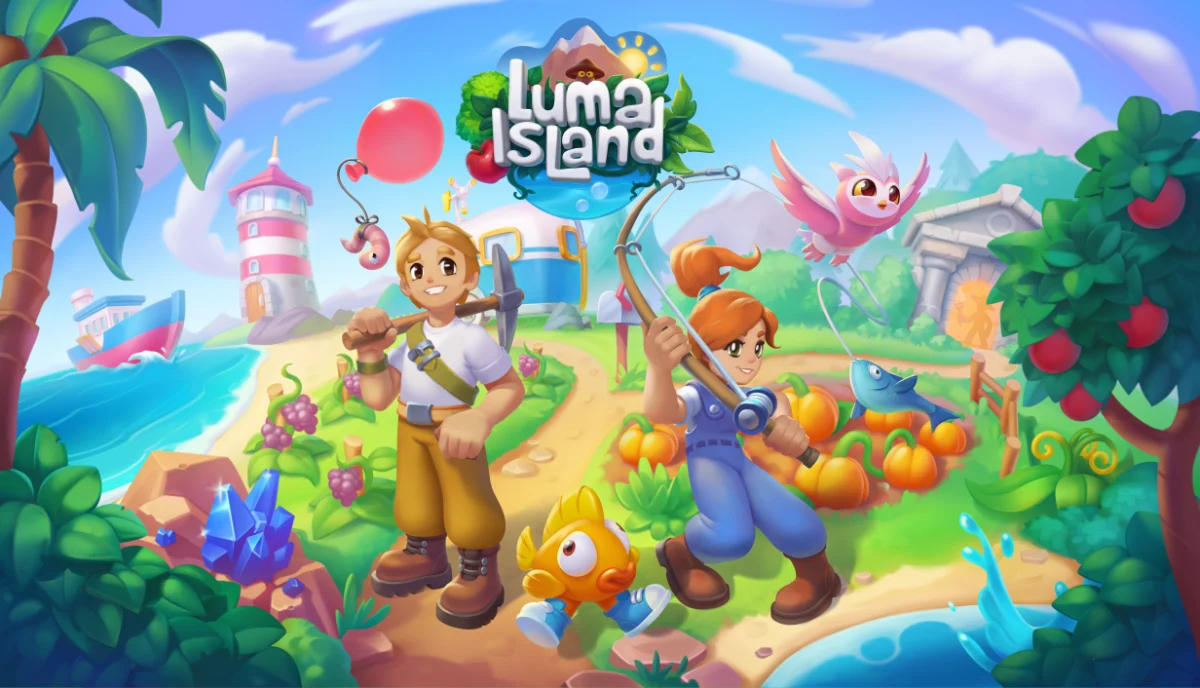
Luma Island capsule art by RocketBrush Studio reflects the color scheme and mood of the game.
The strongest artwork communicates a game's identity before the viewer has time to inspect the details. These design principles can help you get there.
Build around one focal point. Choose a character, creature, object, or scene that expresses the game's core appeal. Several equally prominent subjects can make the image difficult to read, especially in smaller placements.
Make the genre recognizable. The art doesn't need to reproduce a familiar genre cliché, but it should give players a useful signal. Lighting, color, character design, setting, and composition can all communicate whether a game is tense, playful, strategic, atmospheric, or action-focused.
Prioritize logo readability. The title should stand out from the background through contrast, spacing, placement, or a restrained backing shape. Test the logo at the smallest generated size rather than judging it only on a large monitor.
Design for each aspect ratio. A single illustration can provide the foundation for several capsules, but forcing the same crop into every format can hide important details. Plan where the subject and logo will sit in both horizontal and vertical compositions.
Use contrast with purpose. Contrast helps separate the focal point from the background and makes the logo easier to read. It doesn't necessarily mean using the brightest colors available. A controlled palette and clear value structure can be more effective than competing highlights across the entire image.
Match the game itself. The capsule should set an expectation the actual game can meet. A dramatic painted key art image can work for a stylized indie title, but the visual language should still connect to its characters, environments, and tone. Avoid implying a different genre or experience just because a particular style looks marketable.
Check the thumbnail, not just the full-size image. Reduce the artwork to the sizes where players will encounter it. If the title becomes illegible or the main subject turns into an indistinct patch of color, simplify the composition.
These steam capsule art best practices aren't a formula for guaranteed clicks. They are ways to make the game's visual proposition easier to understand in a crowded store.
[[cta:Need capsule or promo art for your project?:Tell us about your game and the capsule formats you need.]]
Steam Capsule Art Examples: What to Look For
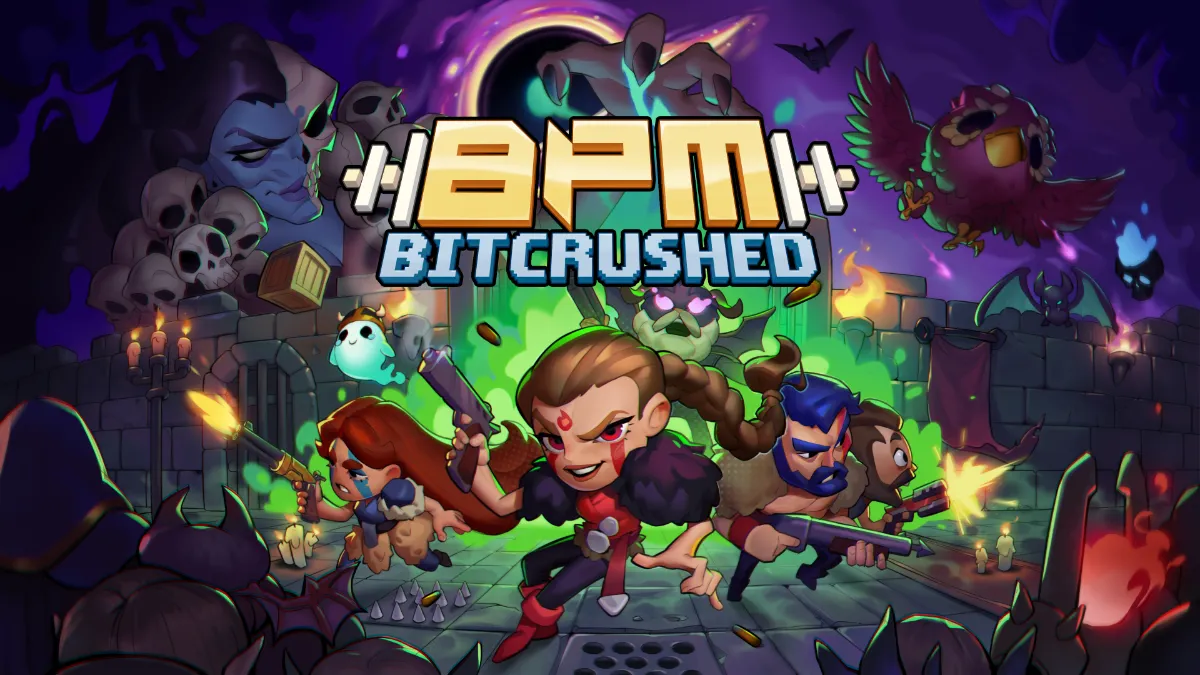
BPM Bitcrushed capsule art by RocketBrush Studio uses bright colors and characters from the game.
When researching Steam capsule art examples, focus on how the images communicate rather than copying a particular game's style. The most useful references come from titles with audiences or visual goals similar to your own.
For example, consider three common approaches:
Character-led action games: A recognizable protagonist or creature takes priority, supported by a dramatic pose, strong silhouette, and environment that hints at the setting.
Atmospheric horror games: Restrained colors, negative space, unsettling shapes, and selective lighting create tension without filling every part of the frame with detail.
Cozy and casual games: Friendly character designs, warm colors, and a readable arrangement of objects help communicate a more relaxed experience.
Compare the header and small capsule for the same game. Notice what has been removed, enlarged, or repositioned to preserve readability. The Steam store capsule art examples worth studying aren't necessarily the most elaborate images; they're the ones that remain clear in their actual storefront placements.
For broader research, browse Steam store pages and compare their main capsules with the screenshots and trailers below them. These Steam store page capsule art examples can reveal whether the artwork's promise matches the game itself. Treat them as references for composition, logo placement, and visual hierarchy — not as proof that a particular palette or illustration style will improve your click-through rate.
Steam Capsule Art Commission: What to Prepare Before You Hire
If you're planning a Steam capsule art commission, prepare a concise brief before approaching an artist or studio. This makes it easier to evaluate proposals and reduces the risk of expensive revisions.
Include the game's short description, genre, target audience, visual references, and the main feature or feeling the artwork should communicate. Share the approved logo, character designs, screenshots, and relevant concept art. If the game is still in development, explain which elements are final and which may change.
Clarify the expected deliverables. Do you need only the four store capsules, or should the scope include the library capsule, hero, logo, and future promotional variants? List the required dimensions, file formats, language versions, source files, and any platform-specific restrictions.
Agree on the production process: how many initial concepts you'll review, how feedback and revisions will work, who approves the final composition, and when the files are due. Confirm usage rights and whether the quote covers later adaptations or additional artwork.
Ask to see relevant portfolio work. A studio that has produced strong game illustrations isn't automatically the right fit for every genre or style. Look for evidence that it can combine polished artwork with readable typography, a clear focal point, and the technical requirements of a storefront asset set.
Common Mistakes to Avoid
Several problems recur when developers prepare capsule art:
Using one crop for every format. Make sure the image can be cropped horizontally and vertically with composition intact.
Making the logo too small. Logo should be readable and stand out compared to the background.
Adding too many details. Less is more, use only the details and elements that are necessary.
Treating capsule art as a screenshot. Screenshots show gameplay; capsule art is designed to represent the game's identity. A direct screenshot may not provide the necessary hierarchy or branding.
Using prohibited promotional copy. Review scores, award logos, discount messages, and generic calls to action don't belong on standard capsules.
Misrepresenting the game. Artwork should reflect the genre, visual style, and gameplay experience of the actual game.
Skipping the final preview. Preview the image before publishing, because a file can meet the pixel dimensions and still fail as a storefront image because its logo, focal point, or contrast doesn't hold up at display size.
A final compliance check should cover the entire asset set, including any active artwork overrides.
FAQ
What is Steam capsule art?
Steam capsule art is the set of promotional images that represents a game throughout the Steam store. Different capsule formats appear in places such as search results, recommendation carousels, the store home page, and seasonal sale pages.
What size is Steam capsule art?
There are several sizes, depending on the asset. The standard store dimensions are 920x430 pixels for the header, 462x174 for the small capsule, 1232x706 for the main capsule, and 748x896 for the vertical capsule. Library assets have separate dimensions.
Can I put text on Steam capsule art?
Standard store capsules can include the game's artwork, title, and official subtitle, but not review scores, awards, discount messages, or general calls to action. Additional text about eligible updates or currently available content must use an Artwork Override and follow Steam's localization and duration rules.
Do I need different art for every Steam capsule?
You need to provide the required capsule formats, but each one doesn't have to be a completely new illustration. A shared key art concept can be adapted across formats, with changes to cropping, focal-point placement, and logo size to keep each version readable.
Where can I find a Steam capsule art template?
Use the official templates linked from Steamworks' Store Graphical Assets documentation. They provide the current dimensions and placement guidance. Check the documentation before production, since outdated third-party templates may use dimensions Steam no longer accepts.
Why Choose RocketBrush for Steam Capsule Art?
RocketBrush Studio has provided game art services to over 150 clients. We create Steam capsule art from scratch or adapt existing artwork across store and library formats.
Our Steam capsule art portfolio includes Luma Island, Life in Frydenlund, Ways of Alchemy and BPM Bitcrushed, spanning farming adventures, card games, rhythm shooters and more.
Need Steam capsule art for your game? Share your ideas, available artwork and required formats with our team to discuss the project.
Create with us
Contact us, and we'll craft the perfect game art for your project