menu
Close

GET IN TOUCH
Check what other game developers say about working with RocketBrush Studio:

BLOG
Frame-by-frame or cel animation relies on a series of frames depicting motion. When these frames are played in sequence, they create the illusion of movement. It’s the oldest animation technique that we know from classic cartoons.
It works by showing a rapid sequence of images where each next one is slightly different from the last. In this article, we explain how the method works, what makes it distinct from other animation approaches, and where it’s most effectively used, especially in games.
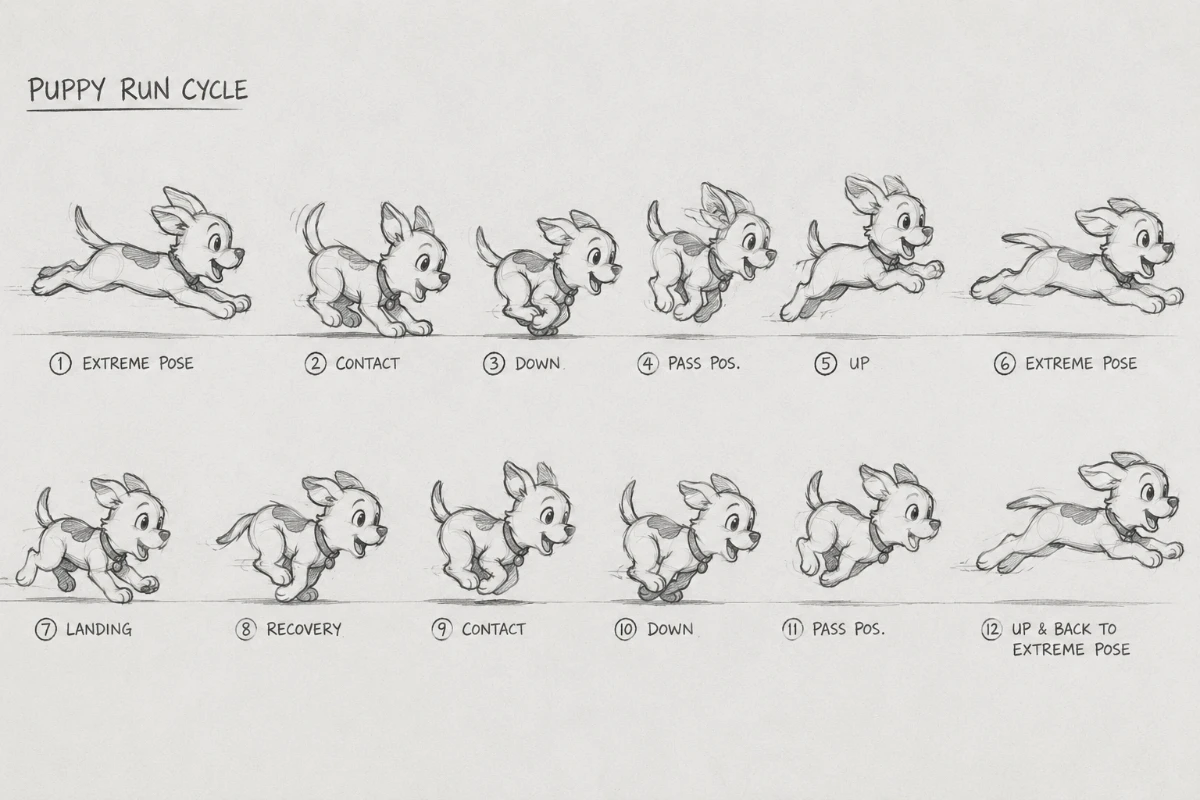
In cel animation, motion is built manually. Each frame is a unique image, so animators aren’t working with a single model or rig, just a reference image. This gives artists full control over how the movement looks at every moment.
Single images or animation frames are displayed quickly — typically at 12, 24, or more frames per second — to create continuous motion. It works like a flipbook, when its pages are turned rapidly and images appear to move. Modern cel animation follows the same concept but executed and produced digitally.
The frame animation method is widely used across different mediums:
Frame animation as a technique is usually associated with 2D, but that’s not always the case, especially when it comes to stop motion projects. To learn more about the differences between 2D and 3D animation, check out our article:
[[ref:2d-vs-3d-animation-for-games-how-to-choose-the-right-approach]]
There are key components that define how motion in frame animation is structured. The effect of smooth motion is achieved specifically because of the decisions that animators make while translating the visuals from the storyboard.
Frame rate also affects how these elements come together. At lower frame rates, like 12 frames per second, animators often emphasize key poses and reduce in-betweens for a stylized look.
At a faster pace, for example, 24 frames per second, more frames allow for smoother transitions and subtle motion details. However, more frames don’t automatically mean better animation — what matters is how those frames are used.
For more information on timing and the role it plays in animation, check out our article:
[[ref:how-to-get-timing-in-animation-right]]
Frame animation exists in several forms, depending on how the frames are created.
The term frame animation is sometimes used more broadly to describe any animation built from sequential images, but frame-by-frame specifically refers to the process of creating each frame manually rather than generating motion through interpolation.
There are two main approaches to building traditional animation: straight-ahead, which requires frames to be drawn sequentially, and pose-to-pose, which relies on key poses. The infographic below explains the main differences between the two.
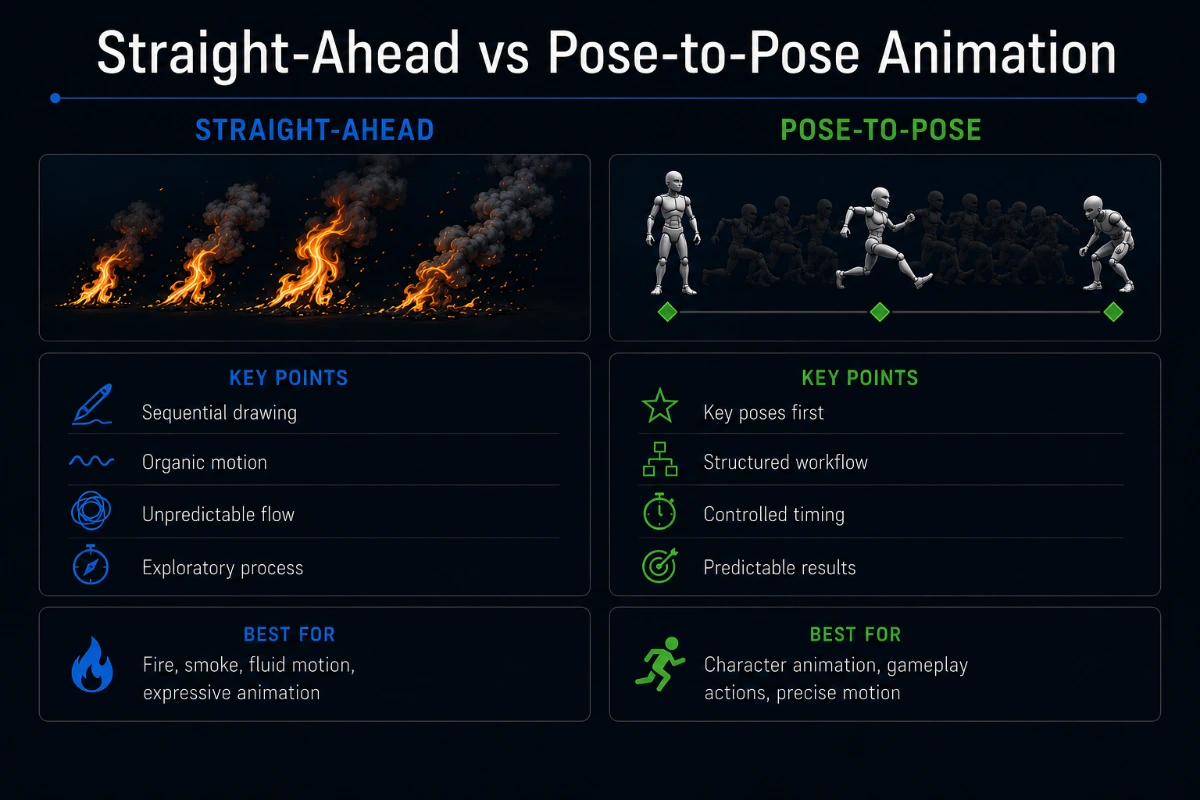
The choice between these approaches affects both the workflow and the final result. Straight-ahead animation builds motion frame by frame in sequence, which makes the workflow more exploratory — animators discover the movement as they go. This often leads to more dynamic, fluid, and less predictable results, but it can be harder to control and revise.
Pose-to-pose animation, by contrast, starts with planned key poses, making the workflow more structured and easier to manage. This results in more consistent, controlled motion, with clearer timing and fewer surprises during production.
If your next project is in need of animation services, and you are entertaining the possibility of frame-by-frame, reach out to our team.
[[cta:Looking for classic animation for your next project?:Let us know the specifics of your game, and we'll get together a production-ready art team that specializes in frame-by-frame.]]
Frame-by-frame animation has a long history and even today it appears in many types of motion. It’s especially advantageous for scenes, where movement needs to feel expressive.
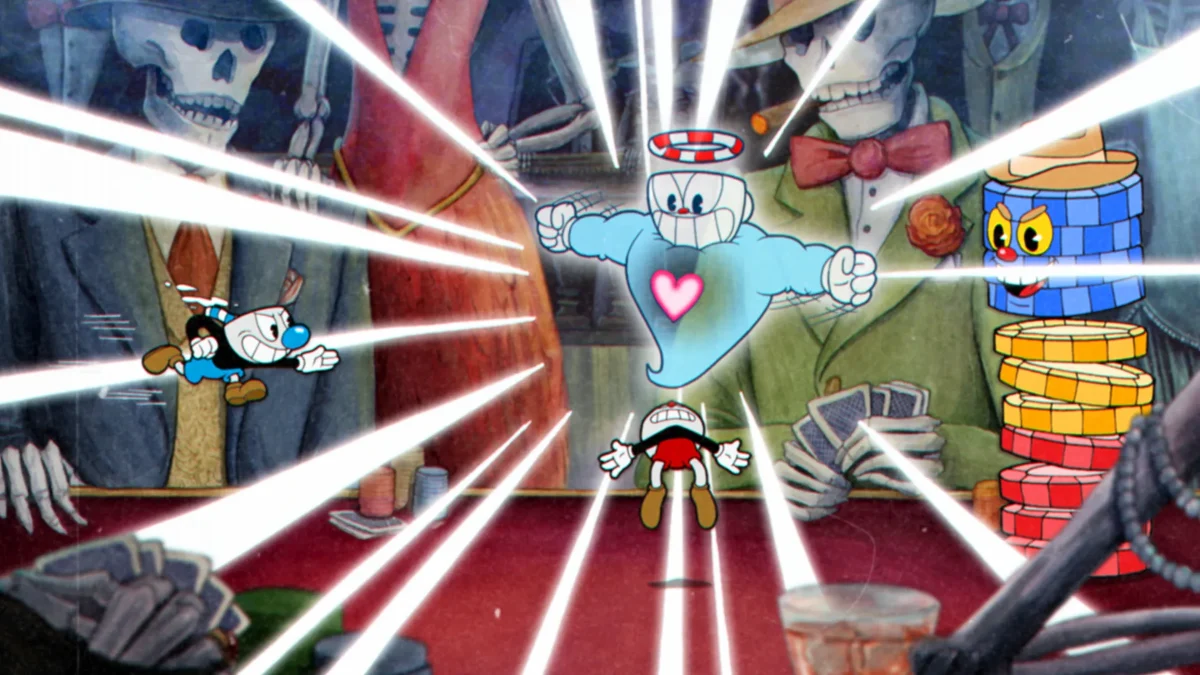
The game Cuphead is inspired by 1930s animation, so for its development, the team chose to go with fully hand drawn style and frame-by frame animation. The developer, StudioMDHR stated that it took about of 25 minutes to draw, ink, scan, color and finalize each frame.
This game is an example of how modern animators utilize the classic technique. It can be used for different elements of the game.
The visual styles can vary widely. Some animations aim for smooth, realistic motion, while others intentionally reduce frame count or exaggerate poses to create a stylized look.
Frame-by-frame is complex and requires preparation. If you are looking for a team to trust with this task, learn all about the best studios and how to choose them from our article:
[[ref:top-game-animation-studios-2d-3d-services]]
One of the advantages of frame animation is artistic control. Where most tools help automate the process, this one allows to maintain full control over every character pose or background detail. This allows for:
In practice, teams often choose this method when the look of the animation is as important as its function. For example, stylized combat effects or character actions can benefit from custom-drawn frames that emphasize impact and personality.
At the same time, cel animation is typically used selectively—applied to key moments or high-impact elements—while other parts of the pipeline rely on more scalable methods.
Budgeting is an important element to consider while choosing the animation technique that fits your game. Learn more about prices from our guide.
[[ref:how-much-does-2d-animation-cost-a-solid-guide-for-game-developers]]
In 2026, it’s fair to say that classic animation techniques are experiencing a comeback. The 2D frame-by-frame animation renaissance is driven by a shift toward stylization and visual identity in both games and digital media.
It helps that modern tools make the process more accessible than before. While the method is still labor-intensive, it’s easier to integrate into production workflows than it was in purely traditional pipelines. Still, there are better and lesser use cases for this specific animation type.
In many cases, teams combine cel with other animation methods, using it where it adds the most value.
While powerful, frame animation comes with several constraints that are important to recognize, especially while developing a game:
These limitations don’t make it less valuable, but they simply define where frame-to-frame can be most effective.
Frame-by-frame or cel animation is a control-driven approach where every frame is crafted manually, allowing for highly expressive, stylized, and non-repetitive motion. While it demands more time and resources than other methods, it excels in situations where animation quality directly impacts visual identity and player experience.
Ultimately, the effectiveness of such animation depends not on how much of it is used, but on where and how it’s applied within the pipeline.
Key points to remember:
If you are interested in including frame-by-frame animation in your game, reach out to our team.