menu
Close

GET IN TOUCH
Check what other game developers say about working with RocketBrush Studio:

BLOG
Polygonal modeling is the standard method for creating 3D objects. However, in game production, low poly vs high poly is not a choice between two methods. Usually, both are part of the same pipeline and serve different goals.
High-poly models are used to create detail. Low-poly models are used to make assets work in real time. This distinction is important because:
Most projects use both low-poly and high-poly models, and the goal is to combine them correctly. Let’s look at each model type separately and how it fits into production.
High-poly models contain a large number, sometimes millions, of polygons. They capture fine surface detail such as wrinkles, scratches, and material textures.
High-poly models are commonly used for creating:
Hero assets and characters require more production steps because they are viewed up close. Small details like skin folds, edges, and surface wear must hold up under close inspection. This level of detail cannot be achieved directly in low poly.
High-poly sculpting is often used as a detail source. Artists first create a detailed version of the asset, then transfer that detail to a game-ready low-poly model later in the pipeline.
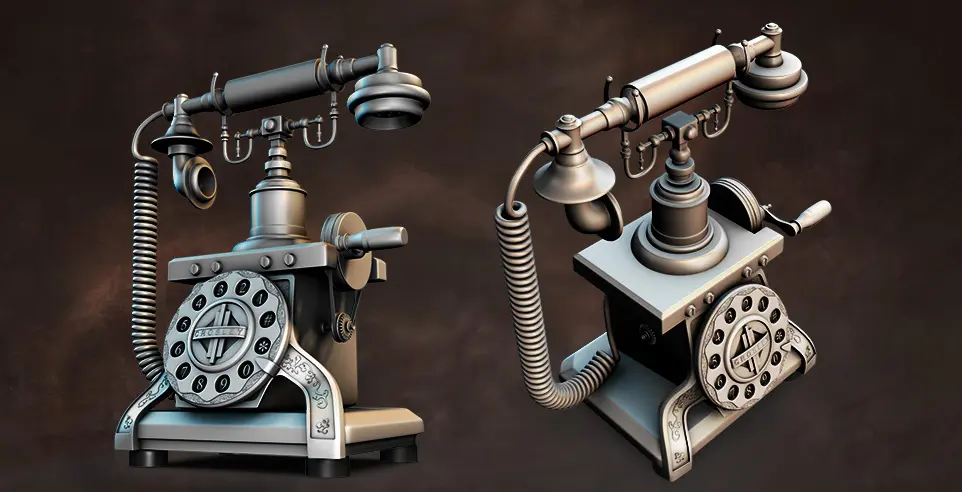
Low-poly models use fewer polygons and are optimized for real-time rendering. They are designed to run efficiently in a game engine and maintain an acceptable visual quality.
Low-poly models are used for:
This is especially important for background props and large asset libraries, where assets require careful optimization because they appear in large numbers. In this sense, a small inefficiency can multiply across a scene and affect performance.
In some cases, low poly is also a visual style. Low-poly game art uses simplified shapes and clean geometry as part of its aesthetic.

Low poly works both as a production stage and as a separate art direction. You can learn more about low poly as an art style in our article.
[[ref:low-poly-art-in-games]]
The low poly vs mid poly vs high poly spectrum shows the balance between asset detail and performance cost.
In production, the choice depends on how visible the asset is, how often it appears in the scene, and how much detail it needs to carry. Low-poly assets work best for scalable content and gameplay, mid-poly models fit props that need moderate detail, and high-poly models are usually used for hero assets and detail generation.
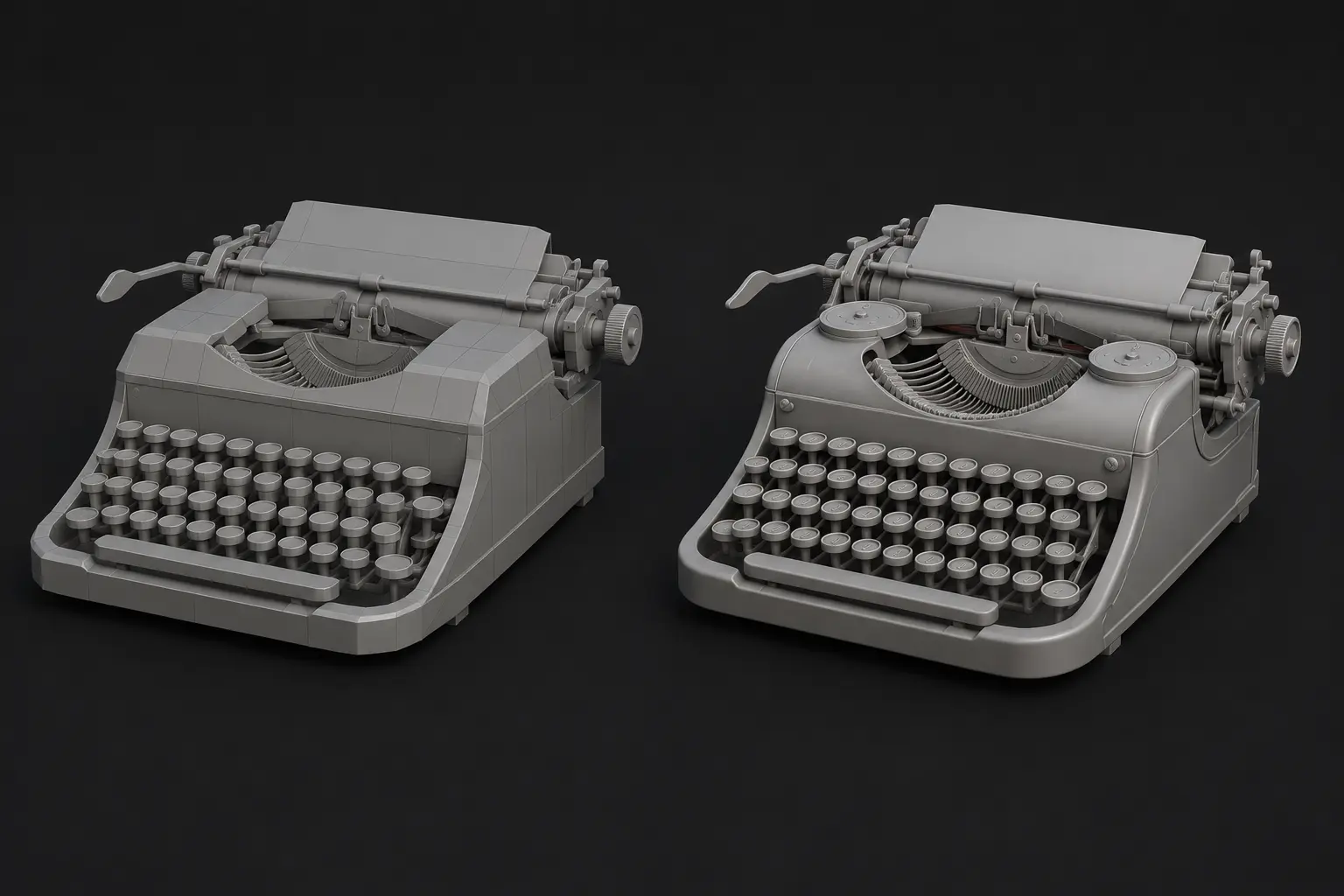
In production, we don’t usually treat high and low poly as opposing workflows. The balance of high poly vs low poly depends on production priorities. If visual fidelity is critical, the team usually invests more in high-poly sculpting, baking, and close-up detail. If a project is limited by performance demands, such as a mobile or VR game, low-poly assets are beneficial. In games with large environments, the most appropriate workflows would be modular and low-poly.
Projects with cinematic or narrative focus may need more high-poly work for characters, hero props, and close-up assets. Most projects combine both approaches to balance quality and performance.
Use High Poly When:
For designing the main characters (faces, anatomy, clothing folds), hero props (weapons, vehicles), сinematic assets, and organic elements created through sculpting, high-poly workflow is the most efficient option.
Use Low Poly When:
When developing background props (crates, furniture), environment assets (walls, floors, modular pieces), distant objects, and large asset libraries for open-world games, low-poly workflow can help streamline production.
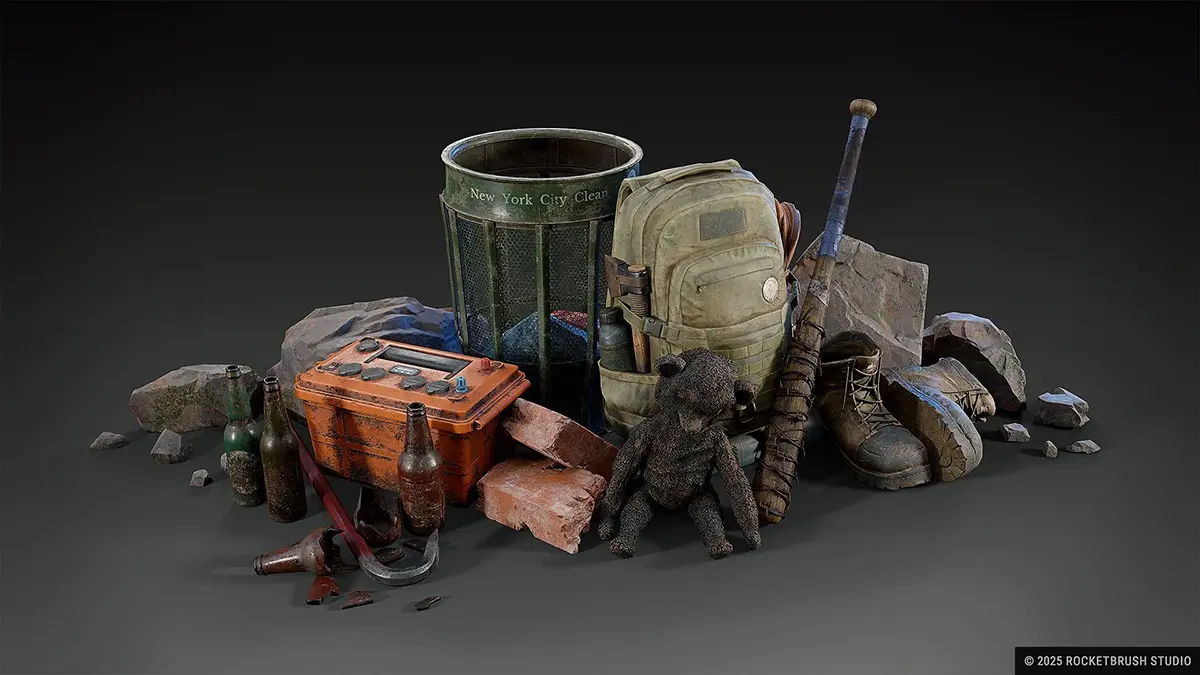
In certain cases, assets can be created using just one workflow. It’s possible to skip the low-poly pipeline in favor of high-poly models, or the opposite — it’s appropriate to use low-poly models without improving their visual quality. Here are some examples:
In a high-poly to low-poly workflow, artists create detail in a high-poly model and then transfer it to an optimized low-poly version for real-time use. This approach is common in modern game production because it helps preserve visual detail without making the asset too heavy for the engine.
This workflow can take around 50–60 hours for a detailed asset, depending on its complexity, quality requirements, and the amount of iteration needed. Retopology, UV mapping, baking, level of detail creation, and in-engine testing all extend the timeline because they turn a detailed model into a game-ready asset. Each step adds manual work and often requires iteration: fixing topology, adjusting UVs, correcting bake errors, or optimizing performance in-engine.
This creates a chain of dependencies. If an issue appears at one stage, the asset may need to return to a previous step. As a result, high-quality assets usually take longer to produce than simpler ones, which also affects the budget.
Once the asset is game-ready, the next question is how it performs in the engine. All 3D assets must be tested in-engine to ensure they meet performance targets. The level of detail directly affects frame rate (FPS), memory usage, and loading times.
Mobile games require aggressive optimization, since phones use slower processors and graphics chips than a PC or a console. However, stronger hardware does not remove the need for optimization. PC and console projects still need a careful balance between asset detail, memory usage, and loading times. Poor optimization at scale leads to performance issues regardless of visual quality.
If you need to plan a 3D asset pipeline for your game, RocketBrush can help define the right balance between visual quality, performance, and production scope.
[[cta:Need game art for your next project?:Tell us about your game, and we’ll assemble a production-ready art team with a pipeline tailored to your style, platforms and deadlines.]]
Low poly vs high poly is a pipeline, not a choice between the two: high poly creates detail, while low poly makes assets usable in real time. Most projects combine both for efficiency.
Asset type and expected level of detail define the workflow. Production always balances quality, performance, and cost.
If you’re planning a 3D asset pipeline for your project, RocketBrush can help choose a workflow that fits your visual goals, performance targets, and production scope.